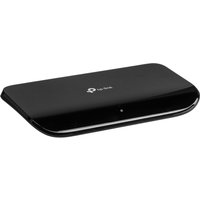
TP-LINK TL-SG1008D Unmanaged Gigabit Ethernet 8-Port Desktop Network Switch
Some external links are affiliate links. NerdMarket may earn a commission if you buy through them, at no extra cost to you.
About this deal
The TP-LINK TL-SG1008D is an unmanaged gigabit Ethernet 8-port desktop network switch designed to efficiently manage multiple network connections in small to medium-sized settings. This switch enables seamless connectivity for devices such as computers, printers, and IP cameras, making it an ideal addition to any home office or small business setup. With its straightforward plug-and-play installation, users can get connected quickly without needing expert networking knowledge. What sets the TL-SG1008D apart from more advanced or managed network switches is its simplicity and ease of use. It does not offer features like VLAN support or Quality of Service, making it a budget-friendly solution for users who require reliable basic networking capabilities without the complexities of configuration. This switch is particularly suited for users who want a quick and effective way to extend their network without needing to delve into intricate setup processes. In practical terms, the TL-SG1008D operates at a transfer rate of up to 1 Gbps, providing ample bandwidth for data-intensive activities such as streaming and video conferencing. With eight ports available, it allows multiple devices to be connected simultaneously, accommodating the needs of users who rely on a stable and fast network connection for various tasks, from everyday internet browsing to office applications. However, as it is unmanaged, this switch lacks advanced features such as traffic management that might benefit larger networks. What Makes It Different? The TP-LINK TL-SG1008D distinguishes itself as a straightforward, unmanaged network switch focused on providing essential connectivity without complex configuration options. Unlike managed switches that offer various network management features, this model is geared towards users who prioritise simplicity, reliability, and cost-effectiveness. Ideal for those who do not require advanced control, this switch offers an uncomplicated solution for expanding a network. In comparison to other managed switches, the TL-SG1008D provides the same physical connectivity while eliminating the need for ongoing management or oversight, thus catering effectively to users with basic networking needs. Performance & Everyday Use Equipped with eight 10/100/1000 Mbps ports, the TL-SG1008D allows users to connect and manage multiple devices quickly and efficiently. Its gigabit ports ensure fast data transfer, making it suitable for environments where speed and reliability are crucial, such as in home offices where remote work has become the norm. With a switching capacity of 16 Gbps, this switch can handle concurrent data traffic without noticeable slowdowns, ensuring video calls, online meetings, and large file transfers can proceed without interruption. The device operates within a broad temperature range and is designed for stable performance under varying humidity conditions, supporting its adaptability to different settings. Being unmanaged, the TL-SG1008D is designed for users who prefer a straightforward setup that simply works. Its durable build quality and compact dimensions make it easy to place on a desk, ensuring it fits well with virtually any workspace while also being backed by a three-year warranty, which offers peace of mind for users. Why Choose This TP-LINK TL-SG1008D Unmanaged Gigabit Ethernet 8-Port Desktop Network Switch? If you are looking for a reliable and easy-to-use network solution, the TP-LINK TL-SG1008D presents a compelling choice. Seamless plug-and-play setup, making it user-friendly for non-technical individuals Fast gigabit Ethernet connectivity that supports multiple devices simultaneously Compact design that fits well in any workspace without taking up too much room Durable construction backed by a three-year warranty for assurance Users seeking advanced networking management capabilities or features such as VLAN support may want to consider more sophisticated alternatives. More exte
Reviews
No reviews yet. Be the first to review this.
Sign in to leave a review.